
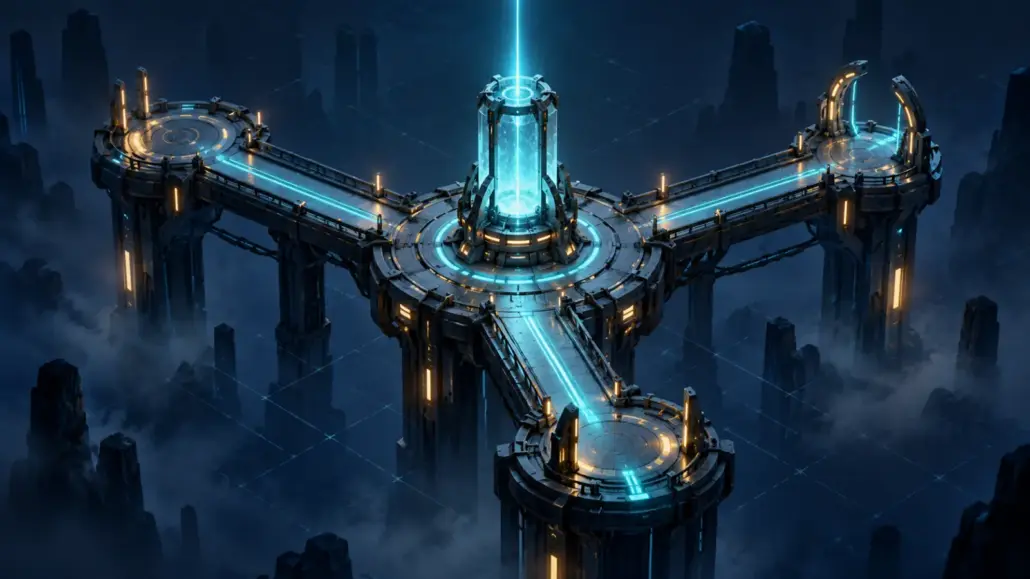
0FZ Transmission One Walkthrough: Every Route Through NARROW/17
Transmission One turns a browser into a recovered carrier, then asks you to decode fragments, reconstruct damaged evidence, restore a causal chain, and make decisions that the system remembers. This guide teaches the logic behind each puzzle while taking you through every route, ending, and optional witness-continuity path.
The central lesson: observe before you act
0FZ rewards the same habit that makes technical troubleshooting, incident response, and systems work reliable: separate what you observed from what you assumed. A timestamp is not an origin. A process marked active is not necessarily a living person. A repeated value can be more trustworthy than one intact-looking copy. A valid command can still have an irreversible consequence.
You begin with one default identity—WITNESS—because your real job is not to overpower the carrier. It is to establish which records deserve trust, understand their dependencies, and decide where the consequences should go. After completion, you may bind a callsign that becomes your local identifier for later continuity.
1. Choose how you want to experience the transmission
Begin at 0fz.org. The main entry is OPEN CARRIER // TRANSMISSION ONE; the homepage’s Transmission One monitor row, the navigation’s Carrier link, and the persistent >_ OPEN CARRIER control reach the same interface. Transmission One now unfolds on that Home page: gated records, the return receiver, and the NARROW/17 relay appear there as you recover them. From another site page, use Carrier to return to the Home carrier.
Standard exploration
Use the visible buttons, records, selectors, and puzzle workspaces. This is the most atmospheric route: the terminal tells you what has surfaced, while the Home page’s Trace Archive, Incomplete Record, return receiver, and relay workspaces let you recover it. The site’s real Dead Drop contact route is deliberately absent before completion. Archiving Transmission One reveals it in the navigation; it is never where puzzle references are submitted.
Terminal-first exploration
Keep the carrier open and treat it like an expanding command interface. Begin with help, status, and listen. As records surface, progress summarizes only what the carrier has already disclosed, while other newly available commands open the same accessible puzzle workspaces used by touch and pointer controls. The available command set grows as evidence is recovered.
Keyboard, touch, and quiet modes
- Keyboard-only: use Tab and Shift+Tab to move, Enter or Space to activate controls, native arrow-key behavior in selections, and Escape to close a safe dialog.
- Terminal history: use Up and Down in the command input to revisit recognized commands. Ctrl+L clears only the visible terminal log; it does not erase progress.
- Touch/mobile: in relay power, tap a colored, symbol-marked lead and then its matching port. Tap the selected lead or a connected port again to deselect that provisional connection. Use the radio choices, one- and five-position raster shifts, move buttons, and compact enter arrow elsewhere. Desktop also provides synchronized native wire selectors as a fallback. Dragging is never required.
- Sound: fresh visitors begin with sound enabled after the carrier-opening gesture. Enter
sound offfor a silent run orsound onto restore it. If you lock the phone or switch apps, returning never autoplays; the next ordinary trusted tap, key press, or pointer action safely re-arms sound while the saved setting remains on. No clue depends on audio. These commands work but are intentionally hidden fromhelp. - Reduced presentation: enter
motion reduceandeffects pause. Reverse them withmotion allowandeffects resume. These presentation commands are also hidden fromhelp.
2. Open the carrier and learn its language
Open the carrier. The terminal assigns you the initial identifier WITNESS and reports a round trip of -31 ms. That negative interval is your first evidence record: the answer appears to predate the request.
Start with three harmless commands:
help
status
listen
help describes currently available channels. status summarizes the active stage. listen captures the first carrier sample and mounts a decoder. Once records begin surfacing, progress can summarize the disclosures you have already reached without supplying solutions.
The sample identifies its encoding profile as HEX and exposes this byte sequence:
4F 52 49 47 49 4E 2F 52 31 37 2D 30 33 31 37What this teaches: an interface can be stateful without showing every possible action at once. In a well-bounded system, capabilities appear only when their prerequisites exist. Inspect the current evidence, and run help again after conditions change to see whether another channel has surfaced.
3. Decode the first beacon
Ask the mounted decoder to detect the format:
decode auto 4F 52 49 47 49 4E 2F 52 31 37 2D 30 33 31 37The spaces are optional. Plain decode <data> also performs automatic detection, while explicit hex, base64, and rot13 forms are available when you already know the representation. The compact forms below produce the same result:
decode auto 4F524947494E2F5231372D30333137
decode hex 4F524947494E2F5231372D30333137
The decoded reference is ORIGIN/R17-0317. On the current site, the former Origin route resolves to the homepage’s Incomplete Record. Go there and recover RECORD / R17-0317. After the surfaced dossier has been visited, read r17-0317 is an equivalent terminal-assisted recovery path.
The dossier introduces four crew channels:
- Mara Venn — systems — MOTH
- Eli Rook — isolation — LOCK
- Nia Sol — medical — GLASS
- Jonas Pike — carrier — ECHO
It also gives you the first line record—VIOLET square, 12V, medical return only—and the drop reference R17-0317.
4. Recover the dossier, return receiver, and four line records
Recovering the dossier normally opens and focuses the Home page’s Return Receiver automatically. If you resume after a reload or find the receiver collapsed, follow that Home anchor and choose OPEN RETURN RECEIVER. The panel identifies itself as RETURN RECEIVER // CLOSED BUFFER // AWAITING REFERENCE. In the field labeled DROP REFERENCE, enter:
R17-0317Choose VERIFY REFERENCE. The receiver answers DROP ACCEPTED, identifies ROUTE: NARROW/17 // LOCAL MOUNT, and reveals OPEN RECOVERED RELAY on the same page. Then recover TRACE / 001, TRACE / 002, and TRACE / 003 from the Trace Archive. Together with the VIOLET record in the dossier, you now have four lines:
| Line | Symbol | Rating | Function |
|---|---|---|---|
| CYAN | Circle | 5V | Voice/data carrier, or COMMS |
| VIOLET | Square | 12V | Medical return, or MED |
| RED | Cross | 24V | Isolation latch, or LATCH |
| AMBER | Triangle | 12V | Auxiliary bus, or AUX |
What this teaches: combine multiple attributes instead of trusting color alone. Name, symbol, voltage, and function form a redundant identity. That makes the puzzle usable on a small screen, with a keyboard, and without depending on color perception.
5. Restore relay power without casualties
Choose OPEN RECOVERED RELAY or open the Home page’s NARROW/17 service panel. You can also enter link relay-17, open relay-17, open relay/narrow-17, or open narrow-17 after the route is unlocked. The former /relay/narrow-17/ address is only a compatibility redirect to this Home workspace. Assign every lead to one unique port:
CYAN circle      -> Port A / COMMS / 5V
VIOLET square    -> Port B / MED / 12V
RED cross        -> Port C / LATCH / 24V
AMBER triangle   -> Port D / AUX / 12V
On touch and narrow screens, tap a colored, symbol-marked lead and then its matching port; tap the selected lead or a connected port again to deselect that provisional connection. On desktop, synchronized native selectors provide a fallback for the same mapping. Check the text summary, choose APPLY POWER, review the consequence prompt, and then choose CONFIRM APPLY POWER. Four correct, unique connections restore the relay. On a casualty-free run, all four crew channels remain present.
Every casualty-bearing relay failure path
Empty, incomplete, and duplicate-port provisional mappings are rejected without a commit or casualty. When a complete, unique mapping is wrong and you confirm it, the panel evaluates critical ports in a fixed order and records no more than one new casualty per committed attempt:
| Priority | Wrong critical port | Recorded loss |
|---|---|---|
| 1 | Port B / MED | GLASS |
| 2 | Port C / LATCH | LOCK |
| 3 | Port A / COMMS | ECHO |
| 4 | Port D / AUX | MOTH |
To deliberately reach the rare MOTH wiring branch, keep CYAN on A and RED on C, but swap the two 12V leads: AMBER to B and VIOLET to D. Commit that same full mapping twice. The first failure records GLASS at the higher-priority MED port. The second cannot record GLASS twice, so evaluation reaches the wrong AUX port and records MOTH. Later messages then contain timestamp contradictions because MOTH continues to appear after her recorded final life sign.
For the other deliberate relay variants, restart between experiments and change only one paired dependency:
- GLASS: swap VIOLET and AMBER between ports B and D, then commit once.
- LOCK: swap RED and AMBER between ports C and D, then commit once.
- ECHO: swap CYAN and AMBER between ports A and D, then commit once.
- MOTH: repeat the VIOLET/AMBER swap twice so priority advances past the already recorded GLASS failure.
What this teaches: validation and execution are different phases. Build a complete candidate, verify its invariants, then commit. Systems that attach real consequences to a commit should make the boundary explicit—and operators should slow down at that boundary.
6. Align the J-0 phase raster
Restoring relay power unlocks a seven-row phase raster. Open the PHASE RASTER channel or enter raster. Each row wraps across a width of 23 characters; your goal is to shift every row back to phase zero.
Use SHIFT LEFT and SHIFT RIGHT; on mobile, the adjacent five-position controls reduce repeated tapping. With a keyboard, focus a row and press Left or Right Arrow, or hold Shift with an arrow key to move five positions. Horizontal dragging is an optional enhancement, never a requirement. You can also enter the complete terminal solution below. Typed phase commands move the rows but deliberately report RASTER NOT SUBMITTED.
phase 1 left 7
phase 2 left 19
phase 3 left 9
phase 4 left 17
phase 5 left 5
phase 6 left 15
phase 7 left 11
When all seven offsets read zero, choose CHECK RASTER. The recovered image resolves to JACOBSON, a counter-warfare command with authority token J-0. Its personnel status is deceased; its process status is active.
What this teaches: many damaged records are not missing data; they are data under a reversible transformation. Before rewriting a value, test whether an offset, rotation, ordering, or encoding operation can recover the original structure without destroying information.
7. Restore the authority chain
Enter authority. Six frames appear. One was inserted after the record closed, and the remaining five must be ordered so each required state exists before another frame consumes it.
| Frame | Action | Requires | Creates |
|---|---|---|---|
| C8 | LOCK seals outer latch | Nothing | LATCH=HOLDING |
| A1 | MOTH starts auxiliary bus | LATCH=HOLDING | AUX=ONLINE |
| F4 | GLASS verifies medical return | AUX=ONLINE | MED=STABLE |
| 0E | ECHO opens carrier | MED=STABLE | CARRIER=LIVE |
| J0 | Counter-authority assumes command | CARRIER=LIVE | COMMAND=JACOBSON |
| B7 | JACOBSON opens carrier | LATCH=HOLDING | CARRIER=LIVE |
Quarantine B7. Its JACOBSON signature claims authority before frame J0 creates JACOBSON authority. Then arrange and commit:
C8 -> A1 -> F4 -> 0E -> J0

LATCH=HOLDING -> AUX=ONLINE -> MED=STABLE -> CARRIER=LIVE -> COMMAND=JACOBSON
Choose VERIFY CHAIN, review the proposed order and quarantined frame, and then choose COMMIT CHAIN VERIFICATION. The chain is not restored—and the next records do not surface—until that second action. After the commit, return to the Incomplete Record and read the newly surfaced J-0 personnel termination record. It dates JACOBSON’s death 14 years before NARROW/17 activation.
What this teaches: chronology is not enough; dependency matters. A causal chain is a directed graph in which each requirement must be produced upstream. A signature can be internally well-formed and still be impossible because the signing authority did not yet exist.
8. Rebuild the packet and program the carrier clock
Power restoration surfaces three damaged copies of the same packet, but their RECOVER PACKET controls are accepted only after the authority chain is restored. Once you commit the chain, recover all three:
- Packet A: TRACE / 004 in the Trace Archive.
- Packet B: beneath R17-0317 in the Incomplete Record.
- Packet C: the returned echo mounted inside the Home Return Receiver after relay power is restored.
Enter compare packets to inspect the copies or stabilize packets to open reconstruction. For each disagreement, choose the token present in two of the three copies:
IS
BAY TWO
OUTSIDE
IS

MOTH IS IN BAY TWO. THE VOICE OUTSIDE IS COPYING HER.
Choose STABILIZE MAJORITY. This is position-by-position majority voting. No single packet is trusted as the master; redundancy lets the shared message survive different corruptions.
Program the 03:17 clock
Enter clock or open CARRIER CLOCK. Order five pulses using the recovered voltage and function records: lowest voltage first, MED before AUX when both are 12V, LATCH at 24V, then return to the carrier. The four pulse pads support click and touch; while the clock panel has focus, the number keys 1 through 4 activate the matching pads.
COMMS -> MED -> AUX -> LATCH -> COMMS
circle -> square -> triangle -> cross -> circle
keyboard: 1 2 3 4 1
Choose COMMIT CLOCK. The counter-authority window opens and exposes the JACOBSON channel. A solved clock also offers REPLAY SOLVED CLOCK. Sound adds a one-shot carrier piece, but the visual function, symbol, beat, and bar display conveys the complete sequence.
9. Recover both optional J-0 records
These discoveries deepen the mystery but never block the main route. They remain recovered evidence on every route; their additional lines appear in the final authority table only when J-0 is routed into 0FZ/RETURN.
Optional route A: solve TRACE / J-NULL
After the raster locks, TRACE / J-NULL appears as a new carrier record on the Home page. Choose OPEN J-NULL TRACE or enter read j-null; the aliases read trace/j-null and read trace-j-null reach the same record. Each row is mostly binary but contains one character that is neither 0 nor 1. Read those anomalies from top to bottom: N O T A L O N E.
In the visible sideband panel, enter NOT ALONE or NOTALONE and choose DECODE SIDEBAND. The terminal alternative is:
decode sideband NOTALONEThe recovered J-0/2 record claims two original JACOBSON body records with matching identities, separated by 14 years. It can also substitute for the standard JACOBSON status record during the second authority challenge.
Optional route B: overlay complementary redactions
After restoring the authority chain, choose RECOVER COPY A in the Incomplete Record and RECOVER COPY B inside the Home Return Receiver. Enter overlay copies to open COMPLEMENTARY REDACTIONS. At each of the nine token positions, select the copy in this order:
1:A 2:B 3:A 4:A 5:B 6:A 7:B 8:A 9:BThe two incomplete records combine into:
JACOBSON AUTHORITY IS A RECORDING THAT LEARNS FROM WITNESSES.
LEARNING SOURCE: WITNESS DECISIONS
Choose VERIFY COMBINED DRAFT. If you later send J-0 into 0FZ/RETURN, the optional redaction result adds the learning-source line to the final authority table, while J-NULL adds the unresolved count of two active JACOBSON identities.
What this teaches: two incomplete views can be more useful than one authoritative-looking document. When omissions are complementary, preserve position and provenance; do not merge text until you know which source is visible at each slot.
10. Challenge JACOBSON with recovered evidence
Enter evidence to review your records. You may pin up to three items as a working set, but pinning is organizational only and never changes progression. A useful set is AUTHORITY-CHAIN, JACOBSON-STATUS, and PACKET-MAJORITY.
Then enter:
challenge jacobsonJACOBSON makes three claims. For each round, open the evidence window, choose SELECT on the relevant record, and then use the matching PRESENT <ID> control. Present one recovered record at a time:
| Claim | Present this evidence | Why it works |
|---|---|---|
| “I opened NARROW/17.” | AUTHORITY-CHAIN | ECHO created CARRIER=LIVE before J-0 created COMMAND=JACOBSON. |
| “I am the last living command authority.” | JACOBSON-STATUS or JACOBSON-SECOND-BODY | The records distinguish an active process from deceased personnel. |
| “MOTH is outside Bay Two.” | PACKET-MAJORITY | Two-of-three reconstruction places MOTH inside and the copying voice outside. |
Wrong evidence does not erase progress. It changes only the local hint count for that claim. The correct rounds remain completed in order.
What this teaches: answer claims with the narrowest record that proves or disproves them. Reputation, confidence, and repetition are not substitutes for relevant evidence. Also distinguish the status of a service from the status of the person or authority it represents.
11. Choose the J-0 purge route and final power route
After the third contradiction, JACOBSON cannot keep its original authority, but it still has to go somewhere. There is no neutral destination.
Review all three J-0 routes
Each command opens a review without committing:
counter route archive
counter route crew
counter route return| Route | Immediate effect | Archived state |
|---|---|---|
| Archive | Closes J-0 inside an archive loop without an immediate casualty. | The loop closes, but a JACOBSON signature remains outside it. |
| Crew | Sends the purge through a live personnel bus. It normally records ECHO; if ECHO is the sole prior wiring casualty, it records GLASS. It never selects MOTH or LOCK. | JACOBSON reports containment. If the run already has two wiring casualties, Crew adds no third casualty and erases archive block J-0/BLACK instead. |
| Return | Sends J-0 into the undefined 0FZ/RETURN process with no immediate casualty. | The authority table contains WITNESS, JACOBSON, and one unreadable entry. |
For the visible path, select one route and choose REVIEW SELECTED ROUTE. The terminal commands above perform the same noncommitting review and set only a pending choice. In either path, inspect the known connections and then use the separate COMMIT J-0 PURGE ROUTE control. Focus, selection, and review alone do not commit it.
Choose the final power route
Once J-0 has been routed, enter route status. NARROW/17 has enough power for exactly one of two circuits:
- Oxygen: restore Bay Two’s breathing loop and release the outer isolation latch.
- Isolation: keep the outer latch sealed and leave Bay Two without oxygen return.
The terminal requires selection and confirmation as separate commands:
route oxygen
confirm route oxygenroute isolation
confirm route isolationOn a casualty-free relay run, Oxygen restores MOTH and records LOCK when the released corridor changes the outcome. If LOCK already died during wiring, the route falls back to ECHO, then GLASS. Isolation records MOTH; if MOTH already died during wiring, it records a distinct BAY2_UNKNOWN identity instead.
The six primary ending combinations
The three J-0 destinations and two final power routes create six high-level conclusions. Earlier relay failures can alter the named casualty lines within them.
| J-0 route | Final route | What to watch in the aftermath |
|---|---|---|
| Archive | Oxygen | MOTH breathes, the latch opens, and JACOBSON’s signature remains outside the closed archive loop. |
| Archive | Isolation | The seal holds, Bay Two goes dark, and the archive still fails to contain the signature completely. |
| Crew | Oxygen | With fewer than two wiring casualties, the purge consumes ECHO or eligible GLASS; with two prior wiring casualties, it erases J-0/BLACK instead. Oxygen then creates its own branch loss. |
| Crew | Isolation | With fewer than two wiring casualties, the purge reaches ECHO or eligible GLASS; with two prior wiring casualties, it erases J-0/BLACK instead. The sealed Bay Two route then records MOTH or the unresolved occupant. |
| Return | Oxygen | JACOBSON enters 0FZ/RETURN while MOTH recovers and the outer corridor becomes active. |
| Return | Isolation | JACOBSON enters 0FZ/RETURN while the latch holds and Bay Two loses its return. |
Both final choices establish the return path and end with a contradiction. On Oxygen, MOTH says she never sent the first transmission. On Isolation, she says she never needed the door. The carrier then reports WITNESS ROUTE: ACCEPTED, archives the record, and continues to report ORIGIN: UNRESOLVED.
Completionist casualty variants
- Enter the Crew purge with ECHO as the only prior wiring casualty to see GLASS receive the purge instead.
- Enter the Crew purge with two wiring casualties to erase J-0/BLACK without adding another casualty.
- Choose Oxygen after losing LOCK to see the ECHO fallback.
- Choose Oxygen after losing both LOCK and ECHO to see the GLASS fallback.
- Choose Isolation after losing MOTH to record
BAY2_UNKNOWN.
What this teaches: some operational decisions are not puzzles with a correct answer. They are tradeoffs with different blast radii. Good interfaces reveal dependencies, require explicit confirmation, and preserve an audit trail—but the operator still owns the decision.
12. Read the aftermath, choose witness continuity, replay, and reset
Do not close the browser at the first archive message. The status label 0FZ // TRANSMISSION ONE RECEIVED is present on the initial Home page as well as after completion, so that label alone is not proof that you have finished. Continue through the Home page and confirm the actual archive changes:
- The Home headline changes to The signal knows the way back. while the 0FZ // TRANSMISSION ONE RECEIVED status label remains.
- Home exposes two TRACE / 005 epilogue records: A witness is also a route. and J-0’s post-archive continuation.
- The Incomplete Record says R17-0317 was created nine days after NARROW/17 went silent.
- The carrier’s
statusreports the archived transmission, established return path, casualty count, TRANSMISSION / 002: INBOUND, DECRYPTION WINDOW: NOT YET OPEN, and unresolved origin. - The navigation reveals Dead Drop. That newly available route opens the site’s real contact form; a direct visit before completion returns an ordinary missing-route page.
These final checks matter because the experience does not award a score or display a conventional victory screen. Completion is confirmed by the changed Home headline, the surfaced TRACE / 005 epilogue, the earned Dead Drop route, and consistent archived state across the carrier and recovered records—not by the received label alone. The witness form that follows is optional and never gates chapter completion.
Choose whether to bind the witness
The aftermath opens TRANSMISSION / 001 // RECEIVED and a Witness continuity panel. You can experience its ending in three ways:
- Leave without submitting: the transmission remains complete and archived. No witness signature is required.
- Continue unbound: choose CONTINUE UNBOUND. Before submission, unbound mode clears the handle, email, notice, and public-archive fields. It sends a minimal completion receipt with route details and technical request information, but creates no public archive row. Like binding, this receipt is accepted only when the browser carries its signed completion grant. The result reads WITNESS RECORD // UNBOUND and RETURN PATH // PRESERVED. This decision applies only to that completion: RESTART TRANSMISSION ONE clears the unbound choice, so the handle option returns when you complete the replay.
- Bind a callsign: enter a non-reserved 3–24 character handle using letters, numbers, underscores, or hyphens. Handles must be unique after case-insensitive normalization. Acknowledge that the handle will be discoverable in the Transmission / 001 witness archive, then choose BIND WITNESS. The server accepts witness binding only when this browser carries the signed completion grant minted after its accepted archive-transition request. A valid callsign becomes the claimed identity stored by this browser profile for later continuity. The result reads WITNESS RECORD // SEALED.
Email is optional and private. If you want a notice when Transmission / 002 opens, provide an email address, select the notification option, and follow the separate verification link sent to that address within two days. Opening that link only loads the verification landing page; press CONFIRM RETURN PATH there to complete verification. Notice status remains pending until that confirmation succeeds. Email verification does not restore the local continuity token or callsign in another browser or on another device. Every successfully bound handle is public in the discoverable archive. Its public rows contain the handle plus fixed Transmission / 001 and RETURNED labels—not email addresses, IP addresses, browser details, route choices, or private timestamps.
All three witness paths—including leaving without submitting—visibly share the same approaching signal: SECOND CARRIER DETECTED, TRANSMISSION / 002 // INBOUND, and DECRYPTION WINDOW // NOT YET OPEN. Submission decides witness continuity; it does not unlock or create the second carrier.
Useful review commands
status
progress
archive
trace
power status
phase status
counter status
route status
evidence
history
whoami
last
last 2
whoami returns the callsign bound to this browser profile or UNBOUND WITNESS. It cannot recover a callsign from email or from a different browser. After the transmission is archived, last [page] reads the public Transmission / 001 witness registry in pages of 25 returned rows; page 2 is unavailable until more than 25 active public records exist. Both whoami and last are intentionally hidden from help. Each public row contains the handle plus the fixed Transmission / 001 and RETURNED markers, never email, IP, browser, route, or private timestamp data.
Hear the terminal object to being trained
Enter three genuinely unknown verbs—not malformed versions of recognized commands—and MOTH interrupts with “Stop teaching it new words.” This atmospheric line changes no route state, and it appears only once per run.
Replay and reset options
Enter reset or use the visible Reset control, then choose the narrowest reset that matches your goal:
- RESTART TRANSMISSION ONE clears chapter progression and casualties while preserving your sound, motion, effects, locally bound witness identity, and previously earned Dead Drop access. If the last completion was unbound, restart clears that per-completion choice so the witness form is offered again after the replay.
- RESET CHANNEL SETTINGS restores sound on, master volume to
0.5, system motion, and active effects without erasing recovered progress. - RESET ALL 0FZ CHANNEL DATA gives an explicit irreversible warning, then removes the chapter’s owned browser state, including the private witness continuity key, and revokes the earned Dead Drop route. A sealed public handle remains published and reserved, while this browser loses the local key needed to claim it later; email cannot recover it. If same-origin revocation is temporarily unavailable, the browser keeps the route hidden and retries on the next carrier load. Reset All does not delete an already submitted protected receipt or public archive row; use the site’s Privacy process for a server-side erasure request.
What Transmission One teaches
- Encoding describes representation, not trust.
- Identifiers become useful when their provenance and context agree.
- Provisional configuration should be validated before execution.
- Reversible transformations can recover structure without rewriting evidence.
- Causal dependencies expose records whose authority appears too early.
- Independent damaged copies can reconstruct a message through majority agreement.
- Process status, personnel status, identity, and authority are separate claims.
- Evidence should answer the exact claim being contested.
- Irreversible choices deserve a review phase, a commit phase, and a recorded aftermath.
- A witness changes a system simply by choosing which route becomes real.
Sources and route index
- 0FZ Index and Transmission One carrier
- 0FZ Trace Archive
- 0FZ Incomplete Record
- Transmission One Return Receiver
- NARROW/17 Home service panel
- 0FZ Dead Drop real contact channel — revealed after Transmission One is archived
- 0FZ Privacy and erasure process
Walkthrough updated for Transmission One release 1.2.7 and 0FZ Obscura theme 1.1.5 on July 30, 2026. Interactive stories can evolve; use help for visible channels and status plus progress to inspect the current carrier state. Presentation controls, whoami, and the post-archive last registry remain hidden commands.
Build an experience people investigate instead of merely scrolling past
Sunimod can help turn a website, campaign, product story, training concept, or strange idea into a responsive interactive experience with deliberate state, accessible controls, meaningful choices, and a production-ready technical foundation.
Start an interactive web project
Share the audience, atmosphere, core interaction, and outcome you want to create. Do not include passwords, access tokens, private keys, or other sensitive credentials.


