
 FieldDesk by Sunimod
FieldDesk
Every job,
buttoned up.
Turn the work on site into a clear handover. Keep job notes, checklists and original photos together, then make a branded report on your phone or tablet.
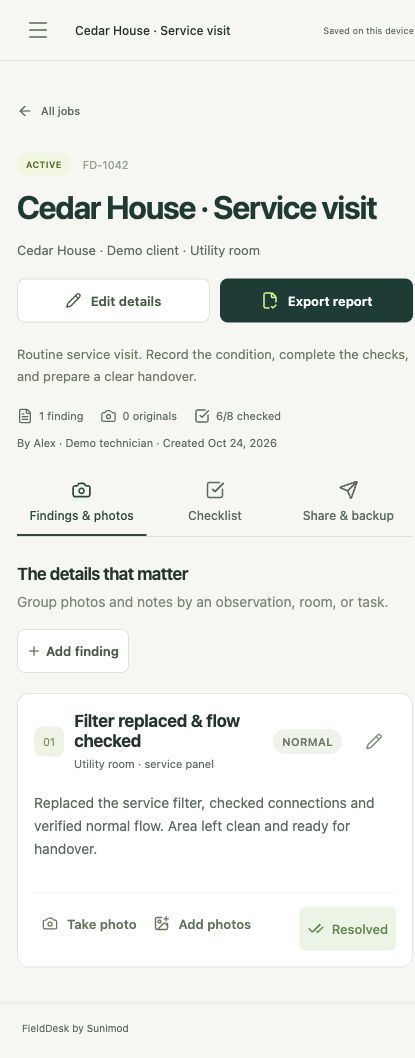
From arrival to handover
A useful record of the work.
For maintenance calls, property visits, installations, inspections and other work where the details matter.
Capture the complete job
Add findings, notes, priorities and completion status. Capture or import photos, label them before, during or after, and add captions or annotations while keeping accepted originals separately.
Checklists that follow your process
Start with one of ten practical checklists or a blank job. Save your own reusable templates for repeat visits. Each new job starts with fresh results and notes.
Branded reports, ready to share
Export a PDF with your business details, logo and report color, or a structured CSV. Share through the apps and file destinations available on your device.
Keep the editable record
Export a job with its editable record and photos. A PDF or CSV is a report; use an editable job archive when you need to move or recover the working record.
Move jobs and templates together
Export saved jobs and templates together, with optional passphrase protection. Review imports before creating independent copies on a compatible Android or iOS installation.
Keep working beyond coverage
Jobs, checklists, original photos and reports work on your device. No Sunimod account, computer companion or automatic cloud sync is required.
Inside FieldDesk
From the first check to the final report.
Follow the checks, reuse what works, and keep a copy you control. Select any screenshot to view it in full.
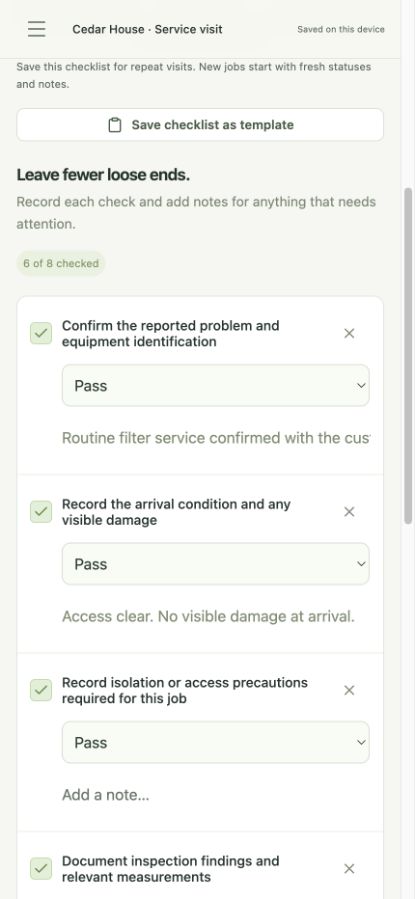
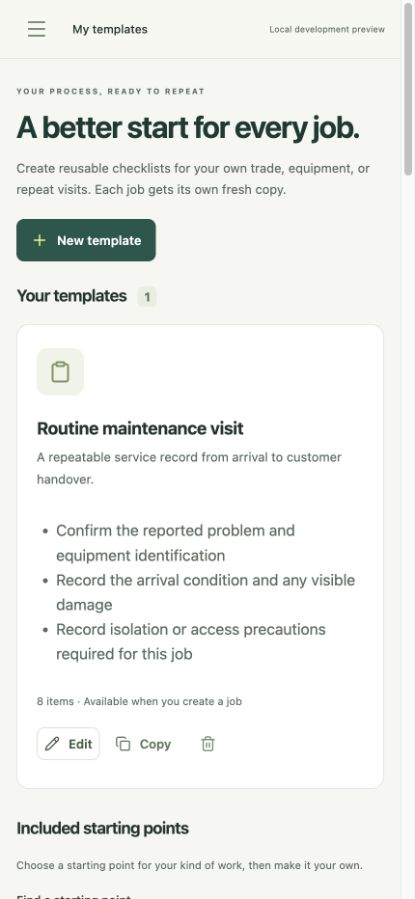
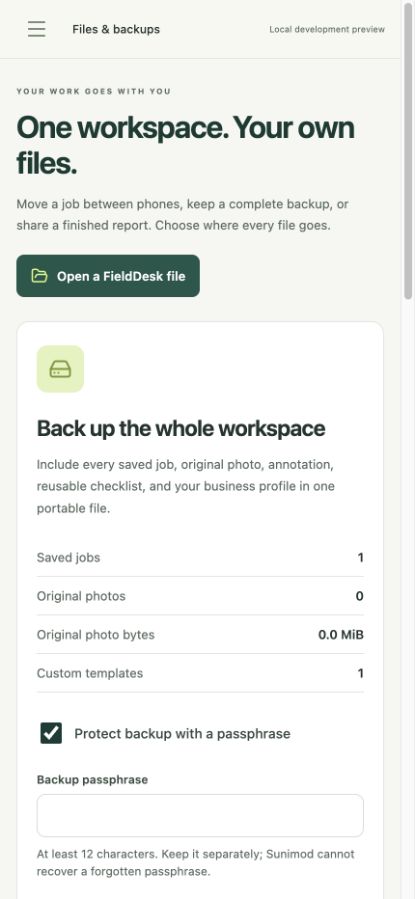
Example job records shown. Tap a screen to explore the details.
Quick start
Your first few minutes.
Start a job
Use a blank job, one of the ten included checklists or a saved template. Add the job details and record findings, priorities and completion status.
Capture the evidence
Capture or import the photos you need. Mark them before, during or after, and add captions or annotations while retaining accepted originals.
Prepare the handover
Add your business details, logo and report color, then export a PDF or CSV and choose where to share or save it.
Save an editable backup
Export the job or whole workspace and save a verified copy outside the app. If you use passphrase protection, keep the password separately.
Your work. Your files.
Offline by design.
Portable when you need it.
Jobs and original photos stay in app-owned storage on your device. FieldDesk has no Sunimod account, advertising, app analytics or automatic cloud synchronization.
Keep the editable record.
Export one job or a whole-workspace backup. Review an import before adding independent copies on a compatible Android or iOS installation. Optional passphrase protection encrypts the exported archive.
A PDF or CSV is a report, not a full editable backup. Save a verified backup outside the app before changing devices. Keep an encryption password separately: Sunimod cannot recover it.
Current availability
Platforms and access.
Coming soon for Android, iPhone and iPad. Public store downloads are not available yet.
Planned as one paid download per platform, with all current features included. Official store links and final pricing will appear here when available.
Good to know
A few practical details.
Does FieldDesk need a server or computer?
No. The installed app contains its tools, fonts and help. Your jobs, checklists and reports work locally. A computer can open exported PDFs and CSVs or store backups, without running a FieldDesk companion.
Can I move a job between Android and iPhone?
Yes, using a compatible editable job or workspace file and a transfer method you choose. Imports create independent copies; they do not sync or merge automatically. Purchases on Apple and Google are separate.
What happens to original photos?
FieldDesk preserves the image bytes accepted at capture or import and stores annotations separately. Reports can use resized or annotated copies. Original files can contain embedded metadata, so review what you share. Photos, timestamps and hashes are documentation aids, not certification of authenticity.
Where can I get FieldDesk?
See Availability for platform access, official store links and pricing information.
How do I contact Sunimod?
Email admin@sunimod.com with “FieldDesk” in the subject. For a problem, include your app version, device and steps to reproduce. Please avoid passwords and unnecessary customer records.
